
Spring cleaning usually starts with closets.
But in a medical office, the real mess isn’t hanging on a rack—it’s sitting in a back room, a drawer, or a pile labeled “we’ll deal with that later.”
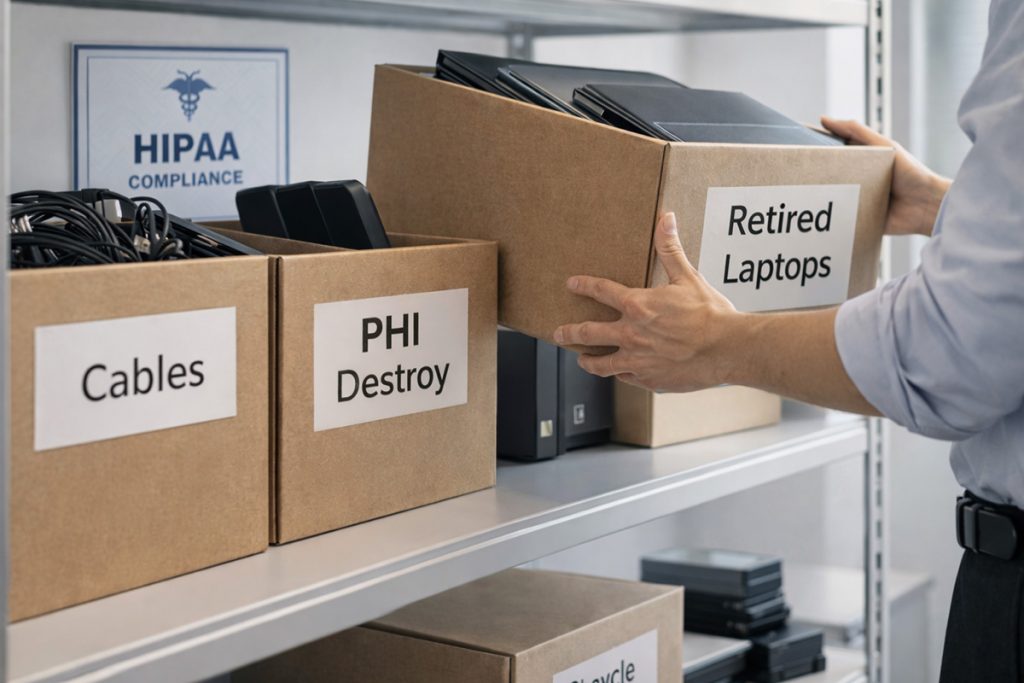
Old laptops. Retired tablets. Backup drives. That copier you replaced last year but never returned.
And here’s the problem:
That “pile” isn’t just clutter—it’s a compliance and security risk.
The Trend: Offices Are Holding Onto Old Tech Too Long
We’re seeing this everywhere right now—especially in healthcare.
Medical practices are upgrading systems (new EMRs, new laptops, better Wi-Fi)… but the old equipment never gets properly retired.
It just sits.
And that creates real risk:
- Devices still tied to email or patient systems
- Hard drives with stored PHI
- Copiers that literally have patient records saved inside them
- Old backups nobody remembers how to access
This isn’t rare. A study by Blancco found that 42% of resold drives still contained sensitive data—even when sellers believed they wiped them.
In a medical environment, that’s not just bad practice—that’s a potential HIPAA issue.
What Medical Offices Need to Understand
Here’s the shift:
Technology doesn’t just have a purchase process—it needs a retirement process.
Most practices are good at buying:
- New laptops
- Faster systems
- Better software
But almost nobody has a defined way to safely get rid of the old stuff.
That’s where problems start.
A Simple, Practical System (That Actually Works)
If you want to clean this up without overcomplicating it, follow this:
1. Inventory (What’s Actually Sitting Around?)
Walk your office.
You’ll find more than you expect:
- Old laptops in drawers
- Tablets in exam rooms
- External drives in closets
- Retired network gear
If you don’t know it exists, you can’t secure it.
2. Decide What Happens to It
Every device should go into one of three buckets:
- Reuse (internally or donated)
- Recycle (certified e-waste)
- Destroy (if it contains sensitive data)
What you don’t want is the fourth option:
👉 “Leave it in a closet forever”
3. Handle It the Right Way (This Is the Big One)
This is where most offices get it wrong.
A factory reset is not enough.
When files are deleted, they’re not gone—they’re just hidden.
Proper handling means:
- Removing devices from your systems
- Revoking access
- Using certified data wiping tools (with verification reports)
For disposal:
- Use certified providers like e-Stewards or R2 Certification
- Don’t rely on retail programs like Best Buy (those are for residential use, not businesses)
And yes—document everything.
If something ever comes up, you want proof it was handled correctly.
4. Don’t Forget the Sneaky Devices
These are the ones that bite practices:
- Copiers & printers → often store scanned patient records
- Phones & tablets → still logged into email or apps
- External drives → backups with PHI
- Batteries → regulated by the Environmental Protection Agency
These don’t look like “risk”—but they absolutely are.
Why This Matters More Right Now
There’s a growing push around:
- Data privacy
- Cyber insurance requirements
- HIPAA enforcement tightening
And one of the easiest ways to fail all three?
👉 Mishandled old equipment
It’s not the flashy cyberattack—it’s the forgotten hard drive.
The Bigger Opportunity (Most Offices Miss This)
This isn’t just about cleaning up.
It’s a chance to step back and ask:
- Are our systems actually working together?
- Is our technology helping staff—or slowing them down?
- Are we secure, or just hoping nothing happens?
Because here’s the truth:
Most medical offices aren’t struggling because of new technology…
They’re struggling because of old systems and habits that never got cleaned up.
Where Geek To You Comes In
Here at Geek To You Technology, this is exactly what we help medical practices fix.
Not just the “what do we do with this old laptop?” question…
But the full picture:
- Secure device retirement (without guesswork)
- Making sure nothing is left exposed
- Cleaning up systems so your team can actually work efficiently
- Keeping you aligned with HIPAA and cyber insurance expectations
No jargon. No overcomplicated process.
Just a clear plan that protects your business and your patients.
Let’s Make This Easy
If you’ve got a pile of old equipment—or even a feeling that things aren’t as clean as they should be—this is the perfect time to fix it.
👉 Schedule a quick 15-minute call
👉 Or call us directly at 1-866-445-8635
We’ll walk through where you’re at and give you a clear, practical path forward.
No pressure. No sales pitch.
Just clarity.
Spring cleaning shouldn’t stop at closets.
It should include the systems your entire practice depends on.