
A restaurant menu. A parking payment. An event registration. QR codes make everyday tasks faster, and businesses use them to help customers find information without typing a web address.
That convenience is useful. But when you’re moving quickly, it’s easy to open a link without checking where it leads.
You don’t need to stop using QR codes. A few simple habits can help you use them with more confidence.
What is QR code phishing?
QR code phishing, sometimes called “quishing,” uses a QR code to direct someone to a fraudulent website. That site may ask for a password, payment information, or other sensitive details.
For example, an unexpected message might tell an employee to scan a code to verify their work account. The destination looks like a familiar login page, but the information entered goes to an attacker.
QR codes can also move an interaction from a work computer to a personal phone, where different security protections may apply.
Pause before you open the link
Treat a QR code with the same care you would give an unfamiliar email link.
- Consider the context. Were you expecting this request? Does the action make sense?
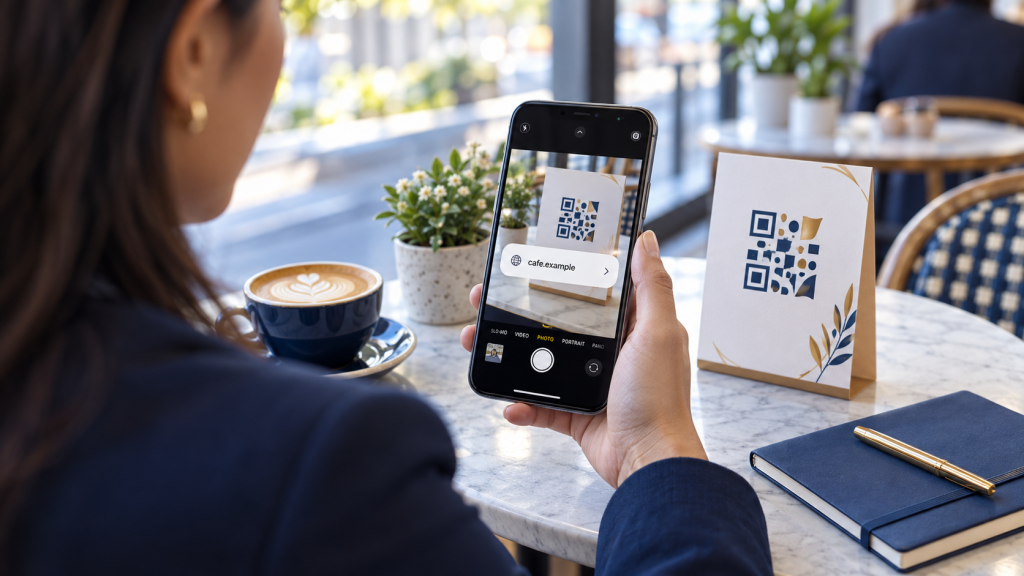
- Preview the address. Use your phone’s built-in camera and inspect the destination before opening it. Watch for misspellings or an unfamiliar website.
- Verify unexpected messages separately. If a message asks you to scan a code to fix an account problem, open the service through your usual app or saved bookmark instead.
- Skip unfamiliar scanner apps. You generally don’t need to download a separate app just to scan a code.
A familiar logo can be copied. It should never be your only reason for trusting the destination.
Check the physical code, too
A code on a sign or payment station deserves a quick look. Is there a sticker covering the original? Does something appear altered?
A replacement sticker might be legitimate, but ask staff to verify it before proceeding. If you’re uncertain, use the organization’s known website or another payment method.
After scanning, pay attention to what happens next. A request for a password, download, or personal information deserves another pause. If the site looks suspicious, close it. Keeping your phone and browser updated also helps reduce risk.
Make your business’s QR codes easier to trust
If your organization uses QR codes, make safe choices easier for customers and staff:
- Explain what the code opens.
- Print a readable web address alongside it.
- Check displayed codes regularly for damage or replacement stickers.
- Assign someone to verify that the destination still works and contains the intended information.
- Give people another way to complete the task.
For your team, make reporting an unfamiliar code or unexpected request simple. Employees should feel comfortable asking, “Does this look right?”
Help your team work with confidence
Protecting your organization includes helping people make sound decisions during ordinary workdays. A brief pause before opening a link can become part of that routine.
At Geek To You Technology, we help business leaders understand technology risks and identify practical priorities for their organizations.
Want to discuss how your team handles everyday cybersecurity questions? Schedule a conversation with Geek To You Technology. Let’s start with your people, your concerns, and what you need to protect.